How to cancel a trial account
When you start your 14-day free trial, you do not attach your card and do not need to cancel anything.
The only thing you can do if you do not wish to proceed with the CRM, you can delete your workspace and remove the extension from your Chrome.
How to pay for a subscription
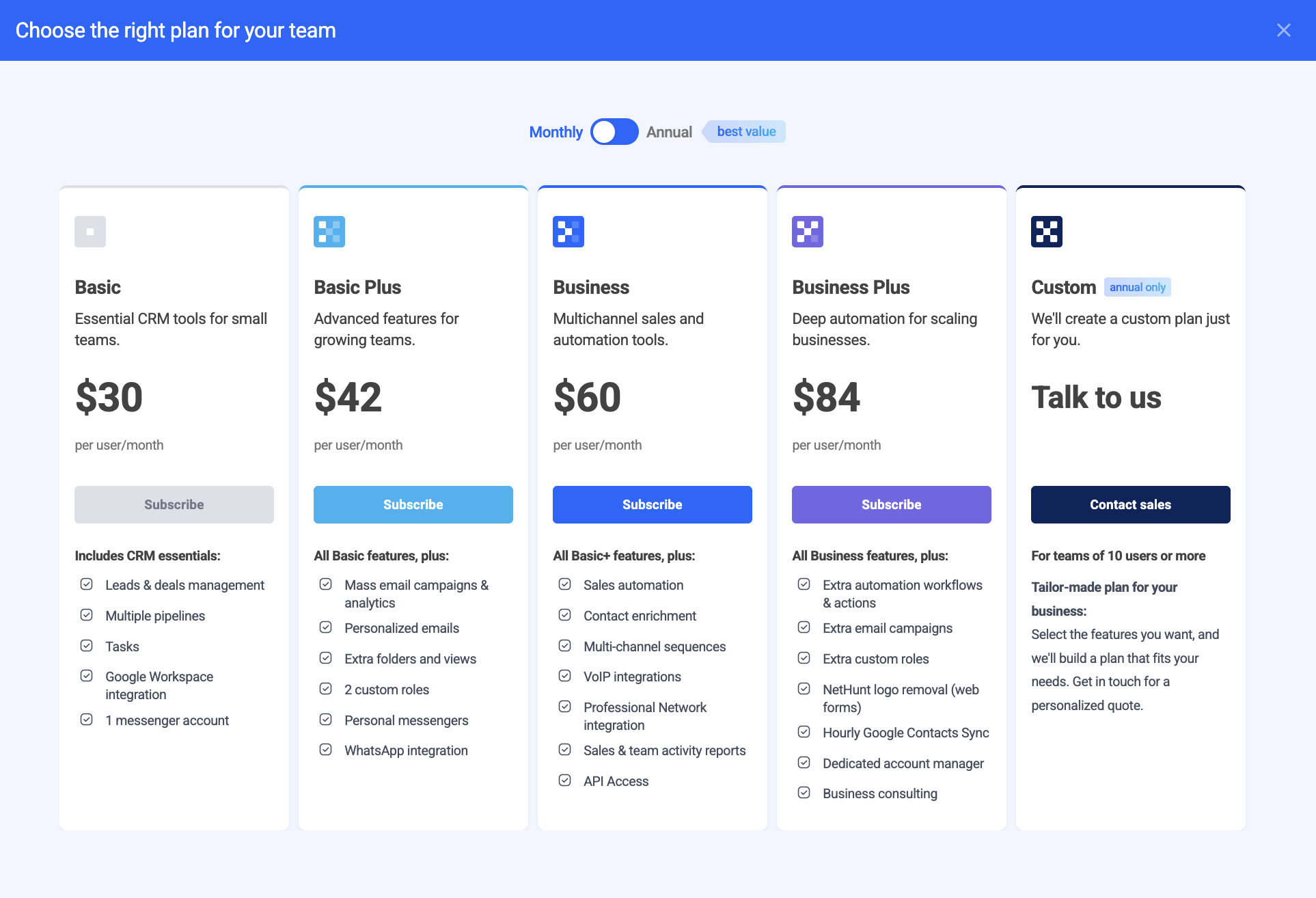
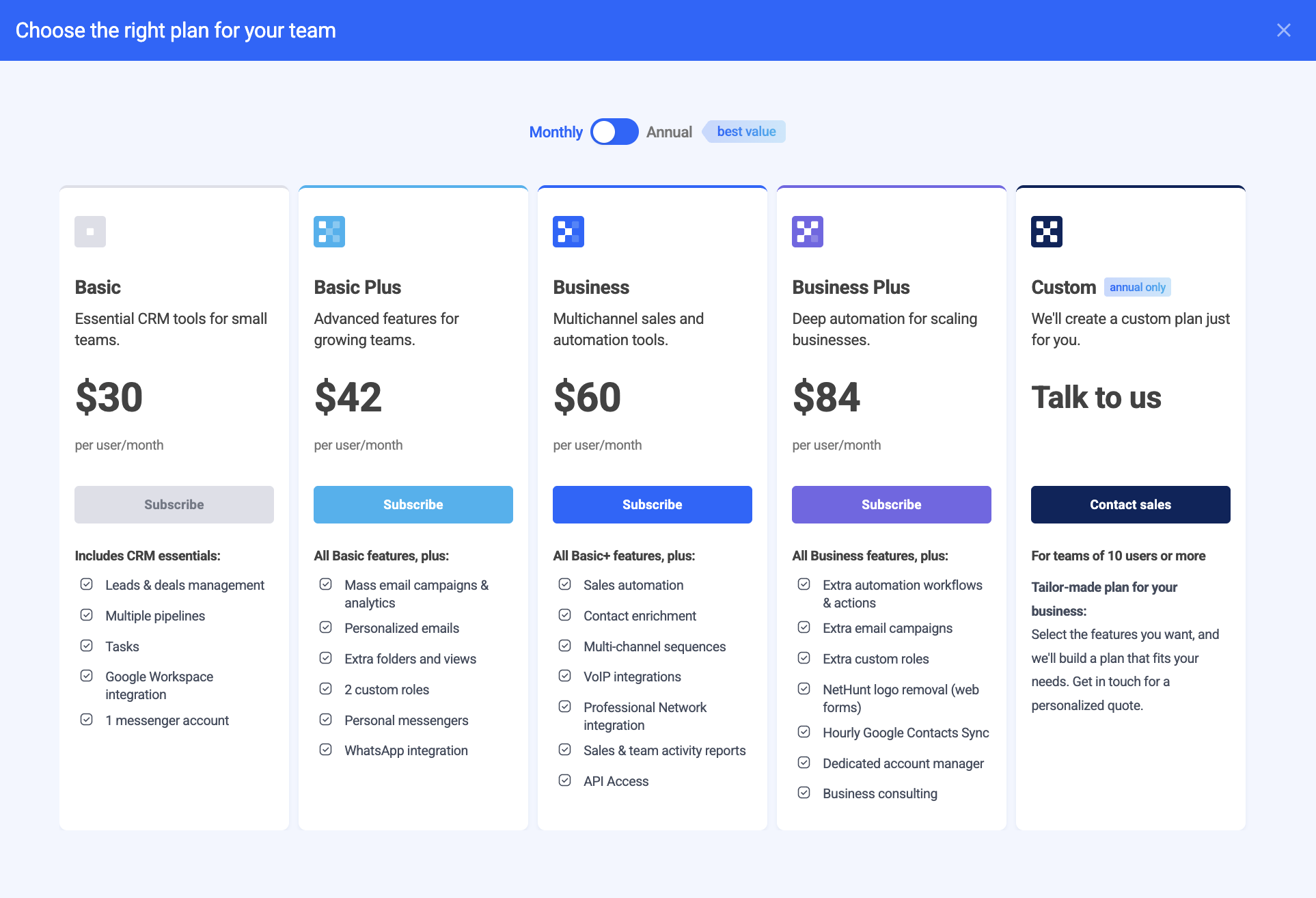
NetHunt offers 5 subscription plans: Basic, Basic Plus, Business, Business Plus and Custom.
When you start testing the system, you get a 14-day free trial. It means that for 14 days you can test the system with no feature limitations, adding as many users as you want. Additionally, you receive our full customer support.
When you decide to sign up for 1 of our 5 plans (Basic, Basic Plus, Business, Business Plus or Advanced), you need to:
There are two ways how to start with the payment process in NetHunt:
1. From your dashboard:

2. From your Billing tab in the Settings:

Both ways lead you to our Pricing Page where you can choose among the plans to upgrade. You can check all the features included in each plan, cost and select either a monthly subscription or annual.
Having chosen your plan - input your credit card information:

Your card would be instantly verified and you can purchase your plan.
If needed, you can always change your credit card information.
Before the purchase, double check everything and pay attention to:
-
Your plan type;
-
Discount coupon (if any);
-
Total amount.

Click on a "Place Order" button and wait for the confirmation from our side.
How to upgrade your NetHunt account
If you already have a subscription plan, you can always upgrade it by following these simple steps:
1. Go to your workspace dashboard and click on the "Upgrade" button:

Or go to your workspace Settings>Billing and click on the "CHANGE PLAN" button:

2. Choose one of the plans you want to upgrade to:
You will go through the same procedure of placing the order as you did previously.
Also, if you are changing the subscription mid-period, you will apply the remaining sum for the unused time for the new subscription.
How to change a subscription plan
When you decide to change a subscription plan, you need to go to your workspace Settings>Billing and click on the "CHANGE PLAN" button:

And choose one of the plans you want to upgrade to:
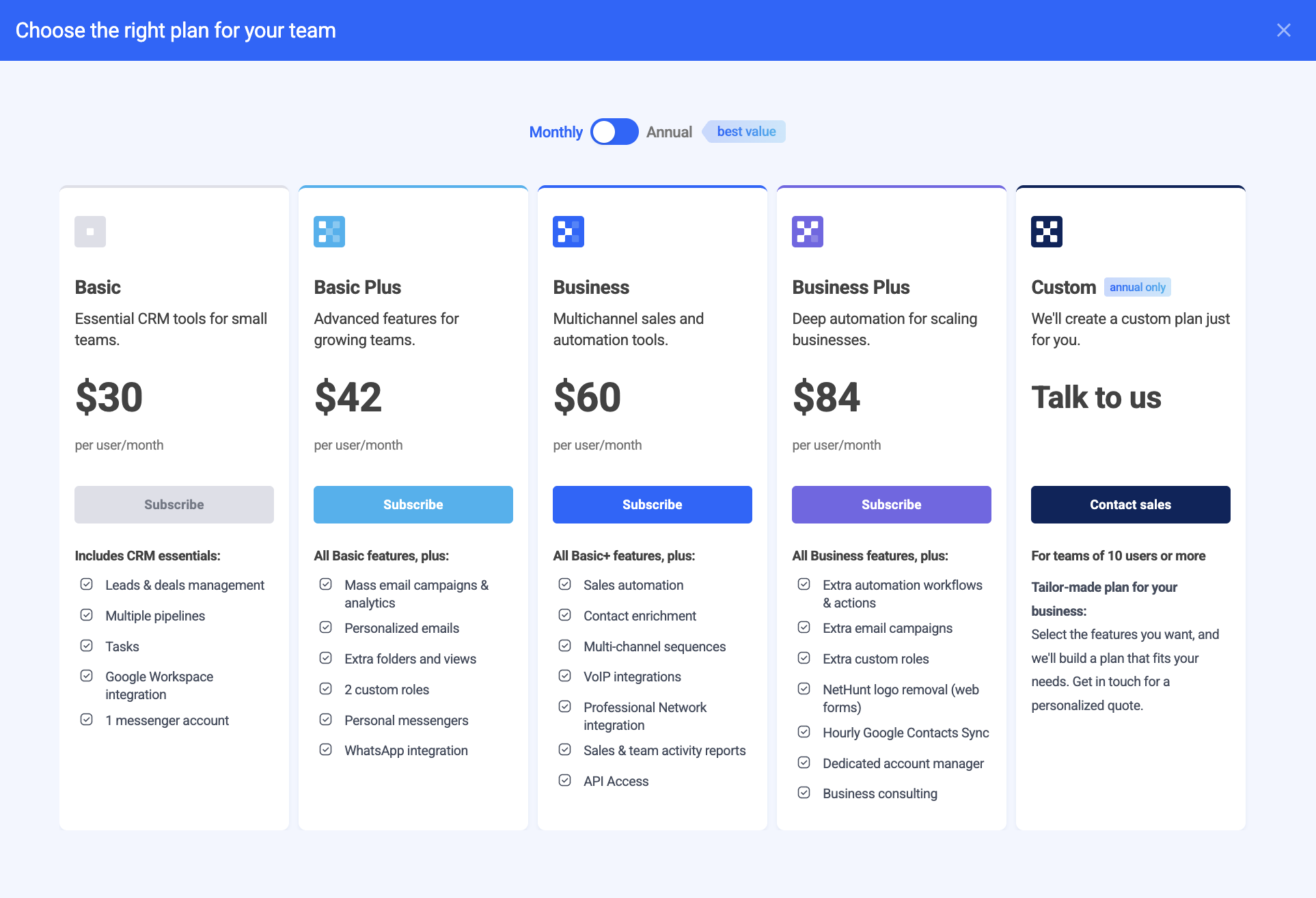
Additionally, NeHunt provides a Custom plan that can be designed specifically for each individual user. To get started, simply request a call with our manager.
How to apply a coupon
Here are the steps on how to apply a coupon for a discount in NetHunt:
-
Go to your workspace dashboard and click on the "Upgrade" button in the Subscription section:

2. When taken to the Billing dashboard, click on the "Subscribe" button and choose the plan you want to upgrade for:

3. Hit on "I have a coupon" checkbox and insert a given coupon name:

4. Don't forget to click on the "Apply" button and get a discount!
How to cancel my paid account
In order to terminate your paid account, you need to have the Billing permissions. Usually, it is the users in the Admin or Billing-only role.

Go to the Settings>Billing and click on the Cancel Subscription button:

Having confirmed the cancellation, you will no longer be charged for the subscription and will be able to resubscribe anew in the future.

Haven’t found the answers you’re looking for? Ask our Users Community.
