Personal Telegram integration allows you to chat, link or create records and overview Telegram messages in your NetHunt CRM.
-
In order to connect your personal Telegram to NetHunt CRM, please go to Settings - Chats - and click "Connect Chat":

2. Pick Telegram (Personal) from the list:

3. Connect your personal Telegram account to NetHunt CRM by following the steps in the instruction:

Note: Apart from scanning the QR code, you can establish the connection by using a verification code that will be send to you:

After you have successfully connected your personal Telegram to NetHunt CRM, configure which conversations you want to be saved in the system:
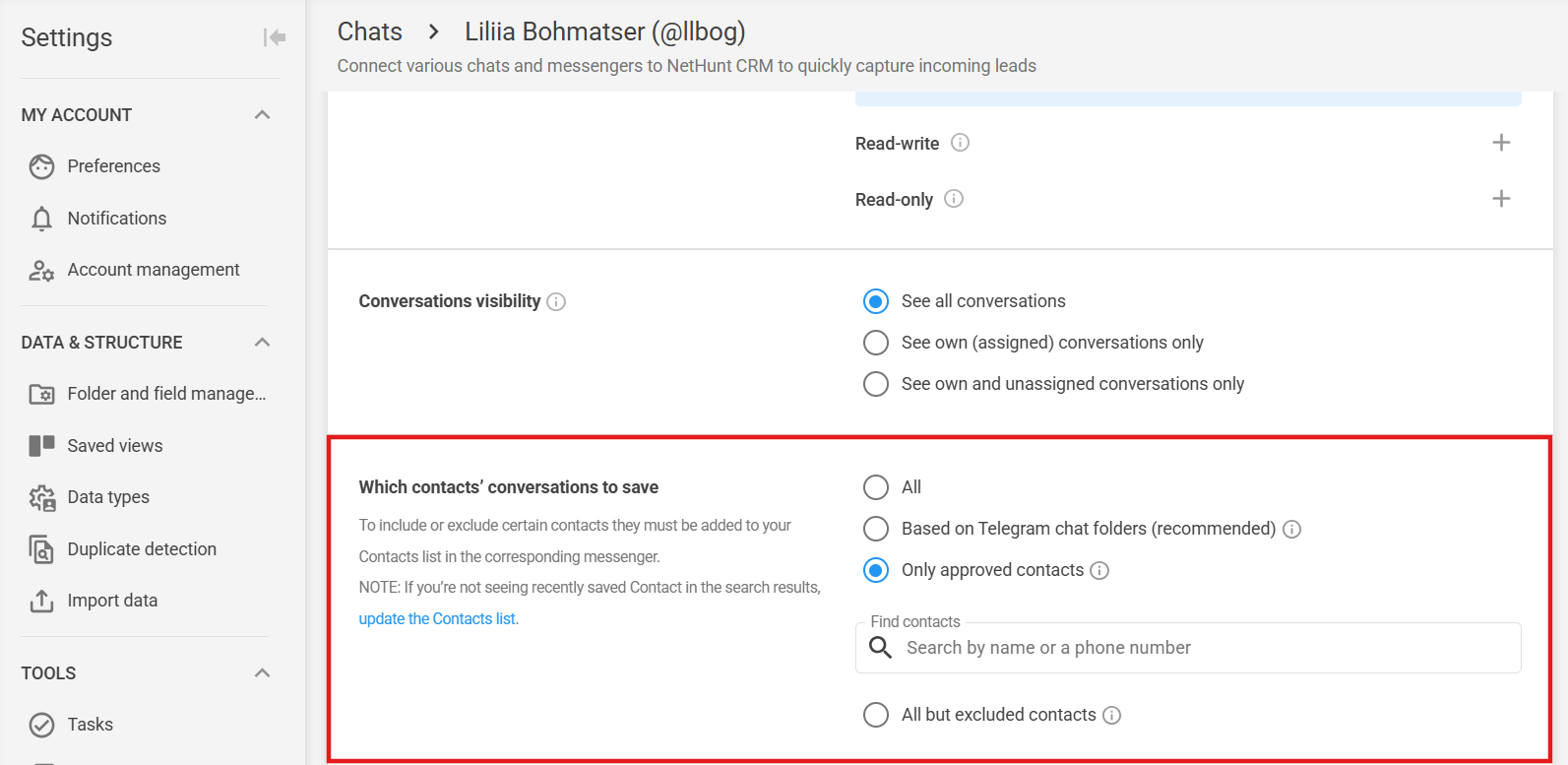
If you select the ‘Based on Telegram chat folder’ option, a ‘Chat folders’ will appear, in which you can select several Telegram folders at once:
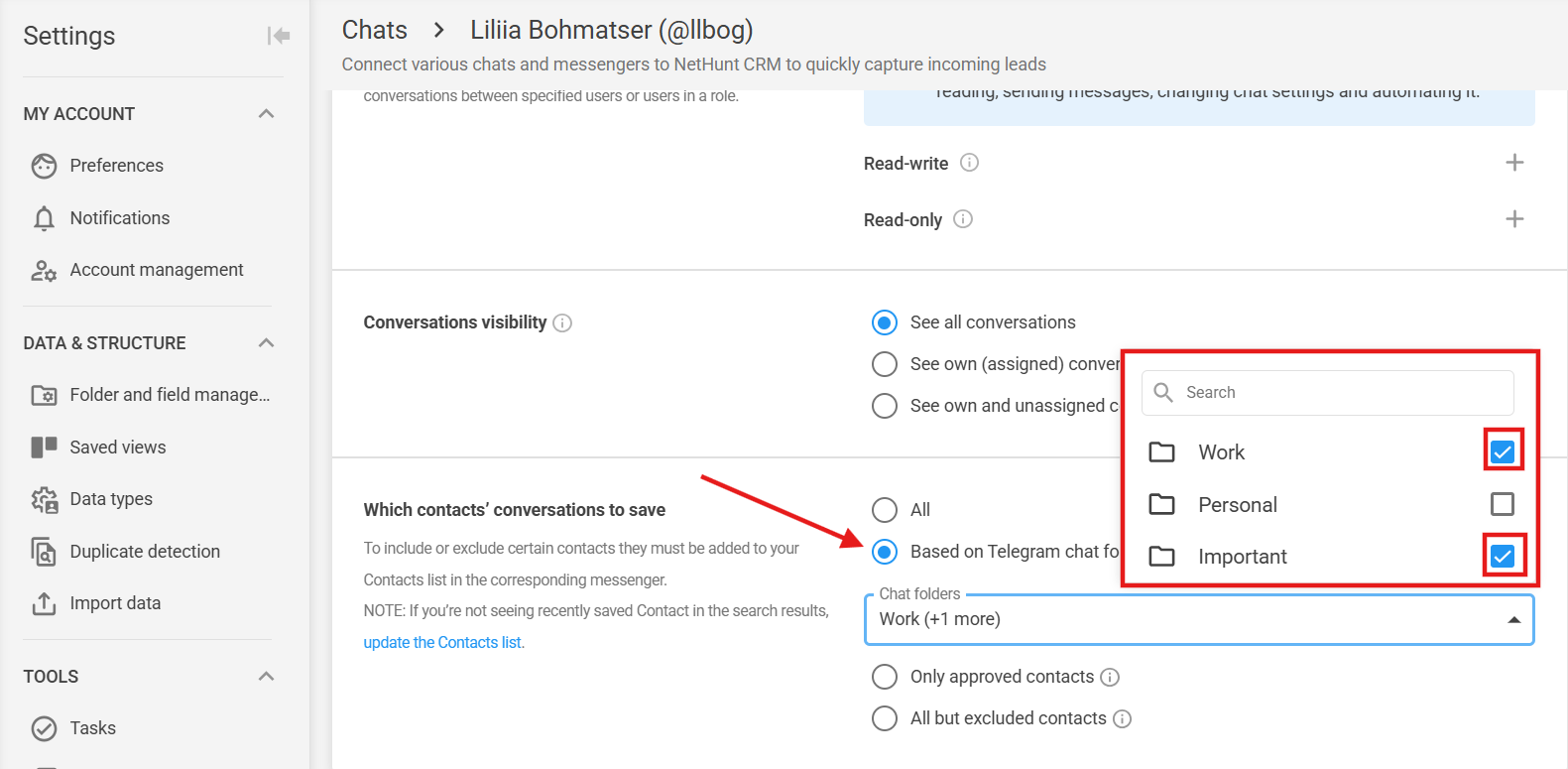
💡 Please note: This is handy if your chats are spread across several Telegram folders or if you’re short of a folder due to the 200-chat limit.
Now you are able to communicate with customers directly from your workspace:

In this view you can also filter your conversations by certain criteria - all conversations, assigned to yourself, not replied, replied, unassigned:

Apart from this, you can close or delete a conversation from here:

You can link a chat to an already existing record in NetHunt or create a new record and link this chat:

You can reply directly from NetHunt, basic formatting, hyperlinks or file attachments are also available:

Please note, as long as you we are working with personal Telegram, only the person who owns this account can respond. Other users will have the following notification displayed:

Telegram chats are being linked to the relevant record and appear on the record timeline:

File Size Limits in NetHunt CRM Chats
In NetHunt CRM chats, you can exchange documents, images, audio, and video files directly from a customer’s record or the Chats section.
Supported File Formats and Sizes
For personal Telegram, the following limits apply depending on the type of content:
- Photos — any format (there is no official list of supported formats), up to 8 MB;
- Videos — any format, up to 8 MB (may be received as a document);
- Audio files — any format, up to 8 MB (may be received as a document);
- Documents — any file type, up to 8 MB.
💡 Please note: You can add a caption (text) to a file, and it will be sent along with the file.
What to Do If a File Exceeds the Size Limit
If you need to send a file that exceeds the allowed size:
- Compress the file: Use online services to optimize images or ZIP compression tools for documents.
- Use cloud storage: Upload the file to Google Drive or another cloud storage service and send the link directly in the chat.
Haven’t found the answers you’re looking for? Ask our Users Community.
